Mimic the Voice Guides
Voice Chat party minigame walkthroughs — from first mic check to last player standing.
Start here
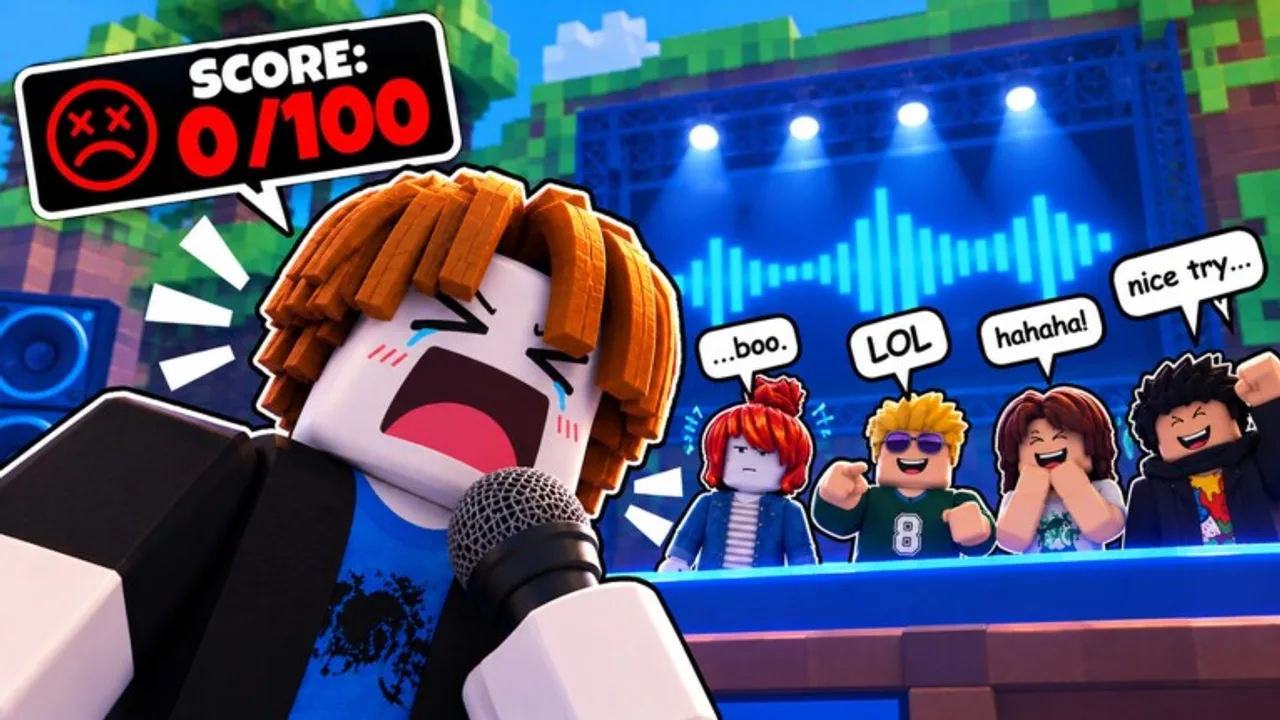
Mimic the Voice! is a Roblox party minigame (server size 10) where Voice Chat is required to compete. You hear a sound, mimic it with your microphone, get scored on rhythm and pitch, then take live star ratings from everyone else. Lowest score each round is eliminated until one performer remains.
This hub is the map for every how-to on the wiki. Work top to bottom if you are brand new, or jump straight to the guide that matches your blocker (no VC, bad mic, losing streaks, wrong TikTok game, or soundboard questions).
Recommended order for new players
- How to play Mimic the Voice — full round loop, lobby flow, and first-win checklist.
- Enable Voice Chat — age verification, settings, and “can’t compete” fixes.
- Mic setup checklist — headphones, input device, quiet room, Mic Ready badge.
- How to win — pitch/rhythm habits, star politics, streaks, dailies, badges.
Featured next-step guides
- Owner servers — QOL + MORE host powers: pick sounds, rig stars, mid-note jumpscares, and private-lobby strategy.
- Mimic the Voice vs Make That Sound! — disambiguate Buffboy’s Roblox title, Be A Voice Actor–style lobbies, and Steam Mimic Party.
- Soundboard ethics — Voicemod/hotkey boards in a pitch-judged game: fairness, risk, and why live practice wins.
Pair progression with the Codes Hub and how to redeem codes so group freebies are not left on the table.
Guide index
| Guide | Best for | What you will learn |
|---|---|---|
| How to play | First session | Hear → mimic → score → stars → elimination → win |
| Voice Chat | Blocked from competing | Age verify, enable VC, permission troubleshooting |
| Mic setup | People can’t hear you | Device picker, headphones, Mic Ready, noise control |
| How to win | Climbing win rate | Pitch matching, timing, rating etiquette, badge grind |
| Owner servers | Private / host lobbies | Pick sounds, rig stars, jumpscare rules, drill nights |
| Vs Make That Sound! | TikTok mix-ups | Place IDs, Buffboy vs Flameyz, Steam Mimic Party |
| Soundboard ethics | Voicemod questions | Fairness, detection/report risk, practice over playback |
What kind of game this is
Unlike horror “Mimic” experiences or Steam party clones, Mimic the Voice is built around live microphone performance. Cosmetics (titles, trails, mic skins, voice effects) and Game Passes (Party Voices Pack, Chaos Voices Pack, VIP) decorate the fantasy, but the skill loop stays the same: accurate mimicry under social pressure.
Expect short rounds, loud lobbies, and a lot of laughing. Bring headphones so you can hear the cue cleanly while your mic captures only your voice — the mic setup page explains why that matters. If a clip caption named a different title, confirm place 70855550858932 via vs Make That Sound! before you grind.
Goals for your first hour
- Confirm Voice Chat works before you care about cosmetics.
- Complete a full match even if you are eliminated early (Stage Fright and related badges teach the UI).
- Earn Mic Ready so the game and other players trust your input.
- Claim daily rewards and note how Money/Gems feed the Style menu.
- Read one win-focused tip list instead of buying every pass on day one.
- Skip soundboard shortcuts — see soundboard ethics if friends push Voicemod “wins.”
VIP (2x Money, +15% Gems, VIP Title, VIP Trail) is optional comfort, not a requirement to understand scoring.
How to use these guides mid-session
- Stuck in lobby with no mic prompt → Voice Chat
- Cue sounds fine in headphones but score tanks → Mic setup then How to win
- Friends want a rules explainer → send How to play
- Hosting a private night after QOL + MORE → Owner servers
- TikTok sent you to the wrong mimic game → Vs Make That Sound!
- Someone pasted a suspicious code → Codes Hub (group-only; no invented strings)
Each article keeps internal links to its siblings so you can move sideways without returning here every time.
Badges and long-term checklist
The experience tracks performance and dedication badges such as Welcome, Mic Ready, Stage Fright, First Win, Rising Star, Crowd Favourite, Living Legend, Spot On, Pitch Perfect, Crowd Pleaser, Encore, Hat Trick, Unstoppable, Regular, Marathon, Veteran, Dressed Up, and Wardrobe. Use how to win for grind routing; use Style + passes only after your mic fundamentals are stable. Owner servers are excellent drill rooms before public streak attempts.
Updating this hub
When new systems ship (extra voice packs, rating changes, or code drops), new child guides appear under guides/ and get linked in the table above. If a link 404s after an update, regenerating content from source JSON is the fix — never rely on outdated getting-started placeholders.
Related hubs
Pick a guide and get on stage — the crowd is already voting.
Frequently Asked Questions
Quick answers to the most common questions.
Which guide should I read first?
Start with How to Play for the full loop, then Voice Chat and Mic Setup if you cannot compete or be heard. Use How to Win once you finish a few matches.
Is Voice Chat really required?
Yes. Mimic the Voice requires Voice Chat to compete. Spectating or hanging in the lobby is not the same as taking a turn on stage.
Do I need Game Passes to follow these guides?
No. Party Voices, Chaos Voices, and VIP are optional cosmetics and boosts. Fundamentals work on a default mic skin.
Is this the same as The Mimic horror game or Make That Sound!?
No. This wiki covers Mimic the Voice! by Flameyz. Use the Vs Make That Sound guide for Buffboy’s Roblox title, Steam Mimic Party, and other lookalikes.
Where do I find codes while learning the game?
Codes are posted in the official Roblox group. See the Codes Hub and How to Redeem guide — we do not invent codes.
Should I use a Voicemod soundboard to win?
Usually no — it is unfair in public lobbies, often scores worse, and invites reports. Read Soundboard Ethics and practice live takes instead.