How to Play Mimic the Voice
Hear the sound, copy it on mic, survive the crowd — last performer wins.
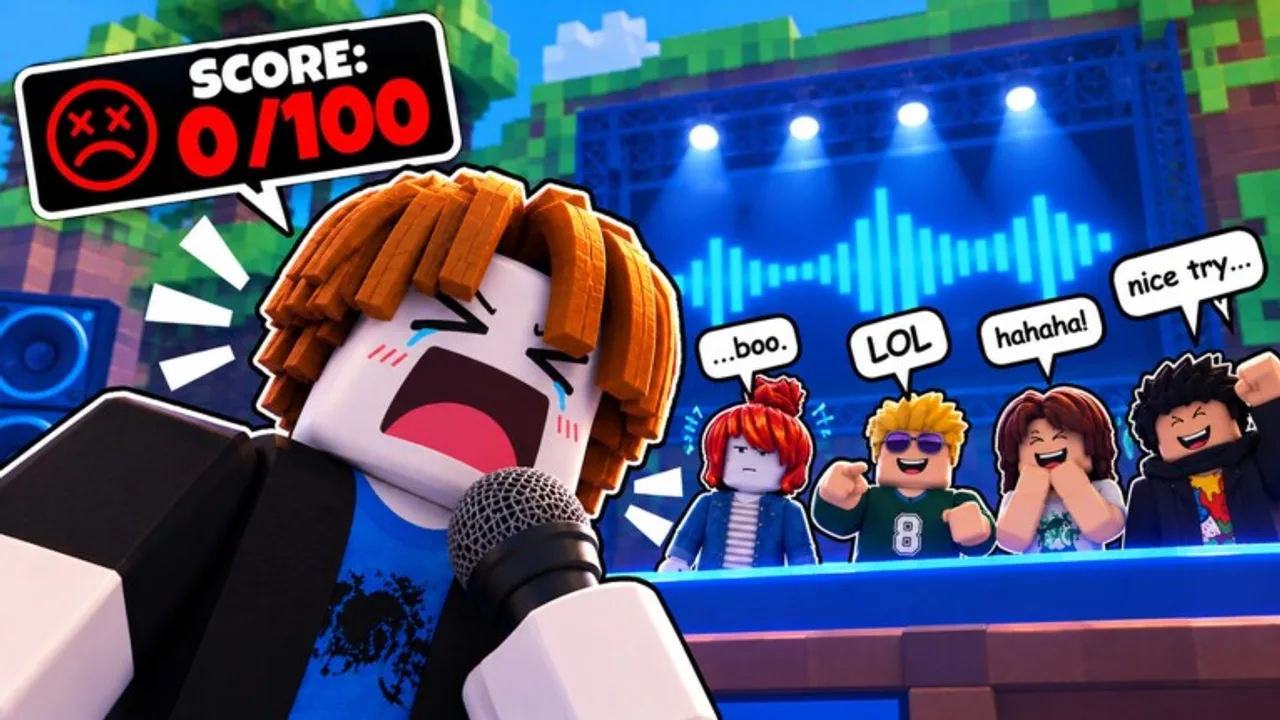
What you are playing
Mimic the Voice! is a Roblox party voice minigame by Flameyz (community uhh group name). Up to 10 players share a server. Voice Chat is required to compete. Each round, someone hears a sound cue, recreates it with their microphone, gets an automatic rhythm + pitch read, then receives star ratings from the rest of the lobby. The lowest combined showing is eliminated. Repeat until one player remains.
If you arrived from horror wikis: this is not The Mimic. There are no chapters, spirits, or jump-scare lore here — only stages, mics, and crowd votes. Sibling party games like Make That Sound! are also different experiences; see official links and vs Make That Sound if search results mixed them up.
Requirements before your first match
- A Roblox account that can use Voice Chat (age verification complete). Full steps: Voice Chat guide.
- A working microphone selected in Roblox settings. Checklist: mic setup.
- Headphones or earbuds so cue audio does not bleed into your mic.
- Willingness to perform on stage — even a shaky first turn earns Stage Fright progress and teaches the UI.
Optional: join the official group for future codes, and skim Game Passes (Party Voices, Chaos Voices, VIP) only after you understand scoring.
Lobby flow
- Launch Mimic the Voice! and wait for a server (max 10).
- Confirm the Voice Chat icon shows you as eligible to speak.
- Open Style if you want a title, trail, mic skin, or voice effect before queue—NEW SKINS may appear during the QOL + MORE event window.
- Claim daily rewards and any lobby free Rewards when offered — see daily rewards. Free Rewards from events are not the same as promo codes unless a group shout posts a redeemable string (Codes Hub).
- Stay near spawn menus until the round announces whose turn it is.
If the game blocks you from competing, stop and fix VC/mic first. Watching without a mic teaches etiquette, but it will not unlock performance badges like First Win.
The core loop (every round)
1. Hear the sound
A prompt or stage event plays the target audio. Listen for pitch contour (high vs low) and rhythm (when notes or noises hit). One clean listen beats three panicked half-listens — let the cue finish. After QOL + MORE’s NEW SOUNDS bullet, expect unfamiliar cues; that is intended content, not a glitch.
2. Mimic with your microphone
When it is your turn, recreate what you heard. Match:
- Timing — start with the groove, do not rush the first beat.
- Pitch — hum or sing in the same register; sliding wilder than the cue usually tanks the auto score.
- Length — stop when the pattern stops; trailing noise looks like a mistake.
- Clarity — speak/sing toward the mic at a steady volume; screaming into peaking input hurts more than it helps.
Voice effects from Party or Chaos packs change flavor, not the need for accuracy. A clean default mic still beats a muddy Demon effect if your timing is off. External soundboards have their own rules—read soundboard ethics before you bring one.
3. Rhythm + pitch score
The game scores how closely your performance tracked the cue. Think of this as the “objective” half of your round. You cannot negotiate with the algorithm — only re-listen harder next time. Tips for raising this half live in how to win.
4. Player star ratings
Everyone else rates your performance in stars. This is the “social” half. Friendly lobbies reward commitment and comedy; sweaty lobbies punish obvious flubs. Rating others fairly keeps the table fun and can influence how they rate you later — pure spite voting is allowed by the systems, but it accelerates rage quits and dead servers.
5. Elimination
Lowest score leaves the stage. Surviving players continue. Momentum badges (Encore, Hat Trick, Unstoppable, and friends) care about strings of strong showings, so a safe mid-pack survival often beats a flashy risk that lands you first-out.
6. Last standing wins
The final remaining performer takes the win. Cash out the dopamine, check rewards, queue again. Win streaks and leaderboard-facing stats make rematches addictive — hydrate anyway.
Owner servers (short overview)
During UPDATE: QOL + MORE (Sep 20–27, 2026) and beyond, private hosts can run owner-controlled servers. Marketing highlights that the owner picks the sounds, can rig the stars, and can jumpscare performers mid-note, with free Rewards called out beside the drop.
What that means for new players:
- Owner lobbies are excellent for friends-only chaos, content clips, and curated practice playlists.
- They are a poor first classroom if stars are rigged—you will not learn fair crowd scoring.
- Mid-note jumpscares are a feature on those servers, not a hack.
- For the full host checklist, open owner servers. For competitive habits, stay on public tables and read how to win.
You do not need an owner server to finish how to play basics, earn Mic Ready, or take a First Win.
First-session checklist
- Voice Chat enabled and unmuted
- Correct input device selected
- Headphones on, speakers off
- Completed at least one full turn (Stage Fright)
- Earned Mic Ready if the badge is still available
- Finished or nearly finished a match for First Win progress
- Opened Style once so you know where cosmetics equip (audit NEW SKINS if the event is live)
- Claimed daily / free Rewards without confusing them for codes
- Bookmarked Codes Hub and joined the group
- Skimmed badges so you know what “done” looks like
Controls and etiquette (practical)
Roblox VC uses your platform mute/push-to-talk preferences. In a mimic game, open mic during your turn matters more than fancy binds. Mute when you are not performing if your room is noisy. Do not blast music into the mic unless the cue literally is that music and you can control levels.
When rating:
- Score the mimic you heard, not your feelings about someone’s avatar.
- Reserve 1-star bombs for AFK / silent turns, not for accents or nervous laughs.
- If you AFK on your own turn, expect elimination — and expect the lobby to remember.
Progression systems you will notice early
| System | Why it matters |
|---|---|
| Money / Gems | Buys or unlocks Style options over time |
| Titles & trails | Flex and identity in lobby screenshots |
| Mic skins | Visual flair while you perform; watch for event NEW SKINS |
| Voice effects | Chipmunk, Robot, Demon, Echo Chamber, etc. (often pass-gated) |
| Badges | Long-term goals from Welcome through Veteran / Wardrobe (badges) |
| Daily / free Rewards | Streak toward Regular; event grants ≠ codes (daily rewards) |
| VIP pass | 2x Money, +15% Gems, VIP Title, VIP Trail — optional accelerator |
| Owner tools | Optional private chaos — not required for onboarding |
Spend currency after you know which cosmetics you actually equip. A trail you never notice is a worse buy than saving for a mic skin you love on camera.
Common beginner mistakes
- Playing on speakers — cue leaks into the mic and muddies your mimic.
- Skipping VC setup — you load in, cannot compete, and waste the party’s time.
- Over-singing — louder is not more accurate.
- Ignoring rhythm — correct pitch on the wrong beats still loses.
- Rage rating — turning every vote into drama shrinks the player pool.
- Redeeming The Mimic horror codes — wrong game; see how to redeem.
- Assuming free Rewards are codes — claim lobby Rewards, but only redeem strings listed on the Codes Hub.
- Learning only on star-rigged owner servers — fun, but a bad skill baseline.
Practice plan for days 1–3
Day 1: Finish VC + mic guides, survive three turns, equip any free title, claim dailies. Day 2: Focus on starting each mimic on time; review how to win pitch tips and sample the current sound pool. Day 3: Play for a win streak attempt on a public lobby; optionally try a friends owner server afterward for chaos only.
Record yourself outside Roblox if you are shy — thirty seconds of humming along to random sounds builds pitch memory without a crowd.
Related pages
Get the mic green, take the first turn, and let the crowd teach you the rest.
Frequently Asked Questions
Quick answers to the most common questions.
How does a round of Mimic the Voice work?
You hear a sound, mimic it with your mic, receive a rhythm/pitch score plus player star ratings, and the lowest scorer is eliminated until one player wins.
Can I play without Voice Chat?
You cannot compete without Voice Chat. Enable VC and verify your mic before queueing if you want turns on stage.
What are owner servers?
Private hosts can pick sounds, optionally rig stars, and jumpscare performers mid-note. Fun for parties—read the owner servers guide. Use public lobbies when learning fair scoring.
Are free Rewards the same as codes?
Not unless the group posts a redeemable string. Claim lobby or event free Rewards in-game, and only treat ALL CAPS strings as codes after they appear on the Codes Hub.
Do voice effect Game Passes change the rules?
No. Party Voices and Chaos Voices change how you sound, not how scoring or eliminations work. Accuracy still wins.
Is Mimic the Voice the same as The Mimic?
No. Mimic the Voice is a party voice minigame. The Mimic is a separate horror experience with unrelated codes and gameplay.